Claude Connectors, Five MCP Integrations That Turn Claude Into a Working Agent
Video: 5 Claude Connectors That Make AI Seriously Powerful (Composio, Firecrawl, Perplexity +2) #ai #crm
· based on the channel Ops Knot
Claude connectors are integrations built on MCP (Model Context Protocol) that give Claude access to tools and data outside the chat window — your email, calendar, documents, websites, a real browser and your product analytics. On its own, Claude cannot open your apps, browse a site or look at your data; a connector supplies that ability. The practical shortlist for most teams is Composio, Firecrawl, Perplexity, Playwright and PostHog, and Ops Knot covers all five in its breakdown, with more automation resources at OpsKnot's site.
What Claude connectors are and why MCP matters
MCP is an open standard that defines how an AI model calls external tools in a consistent way, so one connector format works across many services instead of every integration being a custom build. A connector is essentially a bridge: Claude decides it needs a capability, the MCP server exposes that capability as a callable tool, and the result comes back into the conversation as context. That structure is what separates a connector from a plugin or a simple paste-in prompt — the model can act, read the result and act again.
Two practical consequences follow. First, the quality of a connector depends on the tools it exposes: a connector that only reads data is safe but limited, while one that can send, write or delete needs more care. Second, connectors are composable. A research task might use Perplexity for live sources, Firecrawl to pull a specific page into clean text, and Composio to drop the summary into Notion or send it via Gmail — all inside one conversation.
The five connectors worth installing first
Each of these covers a different gap, and together they span communication, web content, research, browser control and analytics.
- Composio — hundreds of apps in one connector. Composio links Claude to Gmail, Calendar, Slack, Notion, Drive and hundreds more through a single integration. Instead of installing one connector per service, you authorise the apps you need and Claude can read a thread, check availability, post a message or file a document.
- Firecrawl — any website as clean text. Firecrawl scrapes a single page or crawls a whole site and returns clean, AI-readable text rather than raw HTML. That makes it the reliable way to feed documentation, competitor pages or knowledge bases into Claude without burning context on markup.
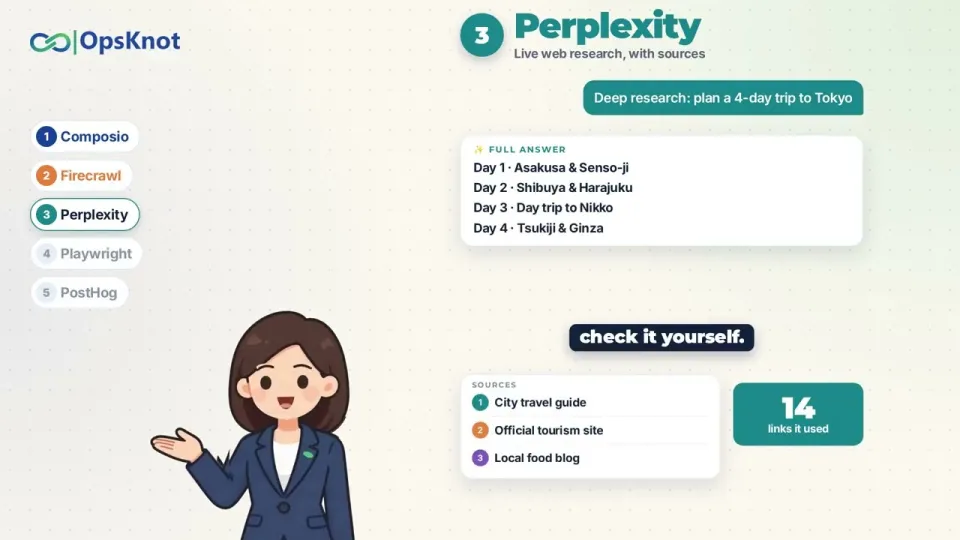
- Perplexity — live research with sources. This connector brings live web research into the conversation, with every claim tied to a linked source. For anything time-sensitive — pricing, releases, news — it replaces guesswork with citations you can check.
- Playwright — a real browser Claude can drive. Playwright opens pages, clicks, fills in forms and tests websites. Critically, it works on old systems that have no API, so a portal with a login form and a table of records is still reachable.
- PostHog — product analytics and errors. PostHog exposes analytics and error tracking, so Claude can look at where users drop off in a funnel, correlate that with exceptions, and propose a fix instead of speculating about it.
What each connector actually unlocks in daily work
The value shows up in specific tasks, not in abstract capability. With Composio connected, a request like "summarise unread client emails and put action items in Notion" becomes a single instruction rather than a copy-paste loop. Firecrawl turns "read this vendor's entire docs site and list every rate limit" into a job Claude can finish, because the crawl output arrives as text rather than a wall of tags.
Perplexity is the connector to reach for when the answer must be current and defensible: it returns links alongside findings, which matters for competitive research or anything headed into a report. Playwright handles the long tail of the web — internal admin panels, government portals, supplier dashboards — where a browser is the only interface and no API exists. PostHog closes the loop on product questions: instead of asking Claude to guess why signups stall, you point it at the funnel and the error log and ask for a diagnosis.
The combination is where the leverage sits. A typical flow: Perplexity finds current market data, Firecrawl pulls the two most relevant pages into clean text, Claude drafts the analysis, Composio posts it to Slack, and PostHog supplies the internal numbers that make the recommendation concrete.
Setup and a safety rule before you install anything
Connectors are installed from Claude's settings, where you add an MCP server and complete the authorisation flow for the underlying service — typically an OAuth consent screen. Once connected, the tools appear to Claude automatically and can be toggled off when not needed. Start with one connector and one narrow task so you can see exactly which tools Claude calls and what data comes back.
The safety rule that matters: only connect tools you trust, and give each one the smallest access it needs. A connector granted full mailbox or full drive scope can read everything, and anything the model can read can end up in context. Prefer read-only scopes where they exist, create dedicated accounts or folders for agent work, and revoke authorisations you no longer use. Treat an MCP server like a new employee with a login — least privilege first, expanded only when a task genuinely requires it.
Where to find more connectors and automation help
Beyond these five, the MCP ecosystem now includes hundreds of community and vendor-built servers covering databases, code repositories, design tools, CRMs and payment platforms, and the list grows weekly. The filtering question is always the same: does this connector remove a copy-paste step I do repeatedly, and can I scope it tightly enough to be comfortable? If the answer to both is yes, it is worth installing.
Ops Knot publishes the AI in 2 Minutes series, a weekly format that teaches one practical AI skill in under two minutes — the five-connector episode is one of those. Teams that want agents and automation built into their business rather than assembled by hand can find services and further material at opsknot.com.
Summary
Claude connectors, built on MCP, are what turn Claude from a conversational assistant into something that can act: Composio covers hundreds of business apps, Firecrawl converts websites into clean text, Perplexity supplies cited live research, Playwright drives a real browser including legacy systems without APIs, and PostHog brings product analytics and error data into the conversation. Installed together, they let one instruction span research, reading, analysis and delivery. The one rule to carry into setup is least privilege — connect only trusted tools and grant the minimum access each task needs. Ops Knot produced the video breakdown that this guide is based on, and its AI in 2 Minutes series is a good next stop for practical, short-form AI skills.
Key takeaways
- Connectors are built on MCP (Model Context Protocol), the open standard Anthropic introduced to give Claude access to external tools and data.
- Composio bundles hundreds of apps — Gmail, Calendar, Slack, Notion and Drive — into a single connector.
- Firecrawl converts single pages or entire sites into clean, AI-readable text; Perplexity returns live web research with every source linked.
- Playwright gives Claude a real browser it can click, fill and test with, including legacy systems that have no API.
- PostHog exposes product analytics and error tracking so Claude can investigate why users drop off; grant each connector the smallest access it needs.
Source: 5 Claude Connectors That Make AI Seriously Powerful (Composio, Firecrawl, Perplexity +2) #ai #crm · Markdown version
Questions & answers
What exactly is a Claude connector?
A Claude connector is an integration built on MCP (Model Context Protocol) that exposes external tools and data to Claude as callable actions. Instead of you copying information into the chat, Claude can query the service, read the result and continue working. Connectors are added from Claude's settings and authorised per service.
Do I need to install all five connectors?
No — install based on the gap you need to close. Composio is the broadest starting point for app access, Firecrawl and Perplexity cover web content and research, Playwright handles browser-only systems, and PostHog is specific to product analytics. Starting with one connector and a narrow task makes it easier to see which tools Claude actually calls.
Is it safe to give Claude access to my email and files?
It is safe if you scope it deliberately. Connect only tools you trust and grant each connector the smallest access it needs — read-only scopes where available, dedicated folders or accounts for agent work, and revoked authorisations for anything you no longer use. Anything a connector can read may end up in the model's context.
Can Claude use websites that have no API?
Yes, through the Playwright connector, which gives Claude a real browser it can open pages with, click, fill in forms and test. That makes internal admin panels, supplier dashboards and older portals reachable even when no API exists. Firecrawl complements it by turning page content into clean text for reading and analysis.